Browse eLibrary on SSRN
Q
How to Browse eLibrary on SSRN Website?
✍: FYIcenter.com
A
 You can follow these steps to Browse eLibrary on SSRN Website.
1. Go to SSRN Website.
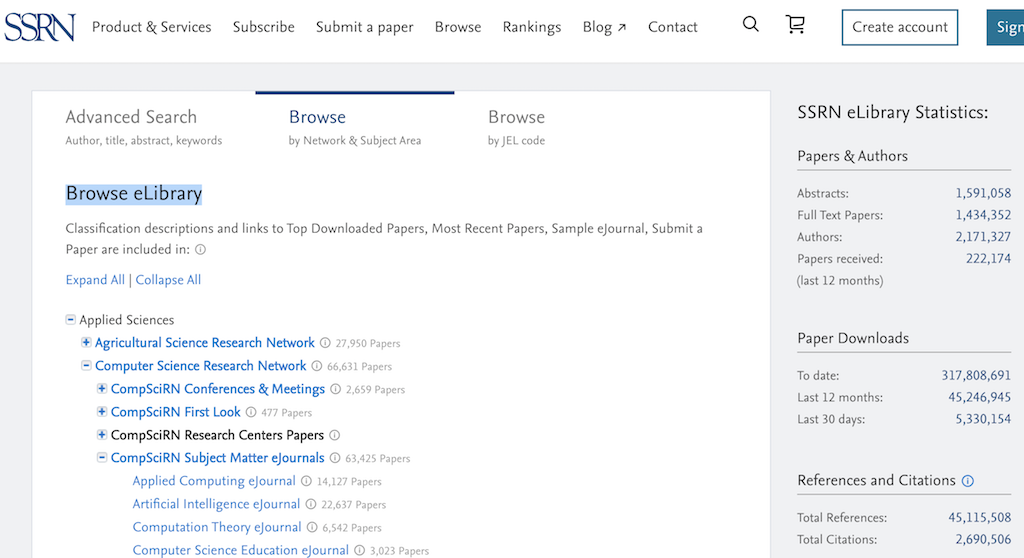
2. Click "Browse" from the menu, and select the "Browse" tab. You see a list of research fields.
3. Click "Applied Sciences > Computer Science Research Network". You see a list of paper types.
3. Click "CompSciRN Subject Matter ejournals > Artificial Intelligence ejournal". You see a list of all papers published by the journal.
⇐ What Is SSRN (Social Science Research Network)
2025-04-19, ∼628🔥, 0💬
Related Topics:

