Advanced Search on portal.issn.org
How to use Advanced Search on portal.issn.org?
✍: FYIcenter.com
 You can follow steps below to use the Advanced Search tool on portal.issn.org.
1. Go to portal.issn.org Website.
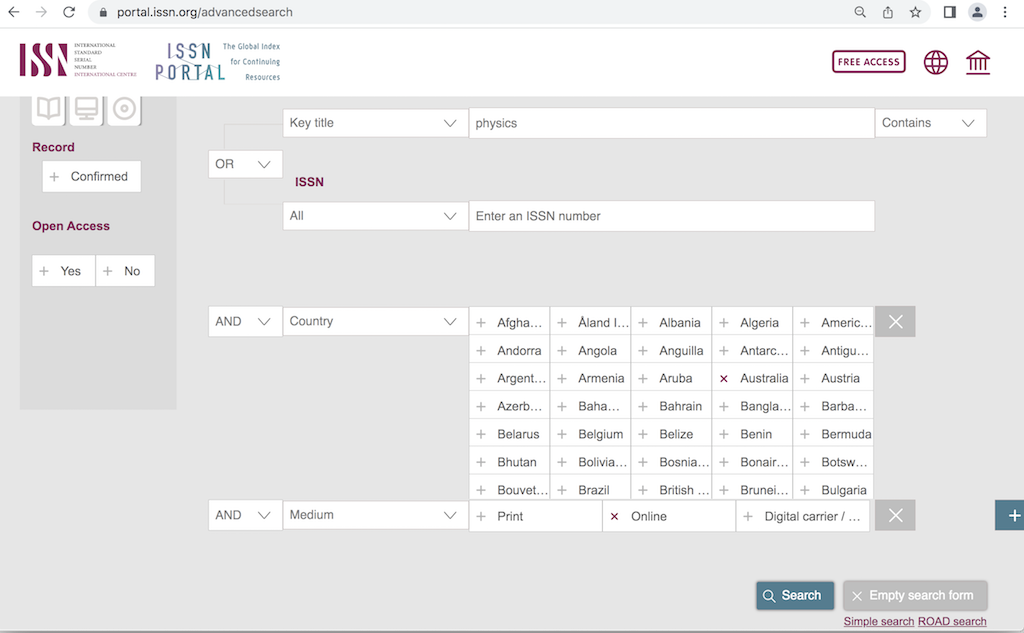
2. Click the "Advanced search" link below the "Search" button. You see the advanced search tool displayed.
3. Enter "physics" to form the primary criteria as "Key title [physics] Contains".
4. Select "Aus..." to form an additional criteria as "AND Country [Aus...]".
5. Click the "+" icon on the right to another criteria as "AND Medium [Online]".
6. Click the "Search" button to perform the search. You see a short list of journals that match given search conditions.
⇒ ISSN (International Standard Serial Number)
⇐ Search for Journal on portal.issn.org
2025-04-17, ∼448🔥, 0💬
Related Topics:


