Keyword Search on LOC Catalog
How to perform Keyword Search on LOC Catalog?
✍: FYIcenter.com
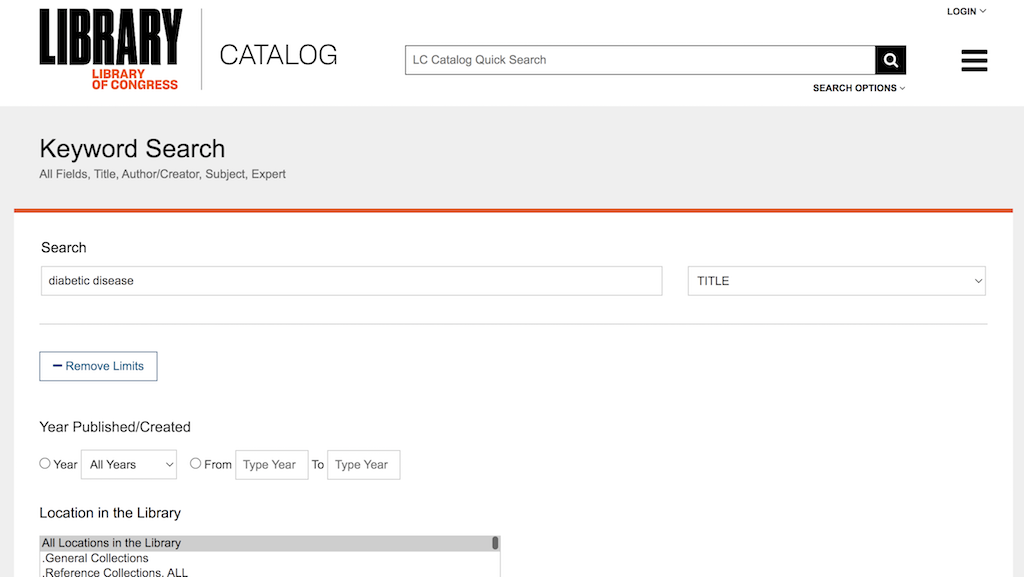
 You can follow these steps to perform Keyword Search on LOC Catalog.
1. Go to LOC Catalog Website.
2. Enter "diabetic disease" in the search box and click the search icon to perform a quick search.
3. You can also click "SEARCH OPTIONS > Keyword Search". You see a search form displayed.
4. Enter "diabetic disease" in the search box.
5. Click "Add Limits" button to add filters like date range, location, etc.
6. Click the "Search" button. You see a list of all entries that match the given conditions.
⇒ Advanced Search on LOC Catalog
2025-04-19, ∼452🔥, 0💬
Related Topics:
 DOI: 10.1051/mattech/192306090363
Paper Summary: Title: Le salon automobile de 1923 Year: 1923 DOI: 10.1051/mattech/192306090363 2025-07-14, ∼1086🔥, 0💬
