Browse Subjects on JSTOR Website
Q
How to browse journals by subjects on JSTOR?
✍: FYIcenter.com
A
 You can follow these steps to browse journals by subjects on JSTOR.
1. Go to JSTOR Website.
2. Select "Browse > By subject - Journals and Books" in the menu. You see a list of subjects grouped into different fields.
3. Select a subject to see a list of related journals.
4. Click on "Computer Science" under "Science & Mathematics". You see 6 journals archived on JSTOR, including "Machine Translation".
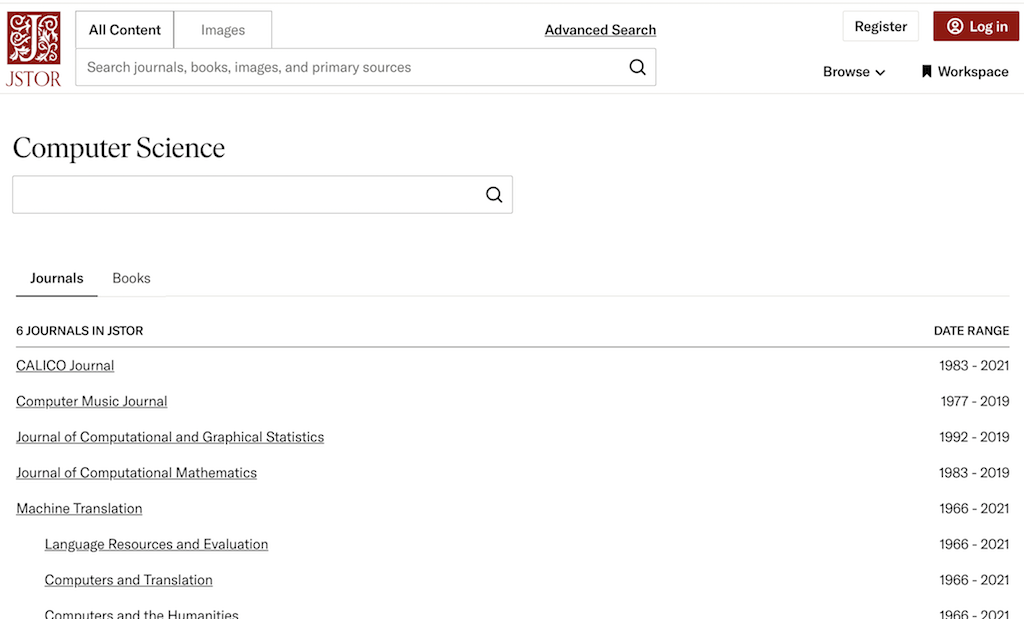
⇒ Browse Journals on JSTOR Website
2025-04-19, ∼439🔥, 0💬
Related Topics:
 DOI: 10.1051/mattech/192306090363
Paper Summary: Title: Le salon automobile de 1923 Year: 1923 DOI: 10.1051/mattech/192306090363 2025-07-14, ∼995🔥, 0💬
