Quick Search on ScienceDirect
Q
How to perform Quick Search on ScienceDirect?
✍: FYIcenter.com
A
 You can follow these steps to perform Quick Search on ScienceDirect.
1. Go to ScienceDirect Website.
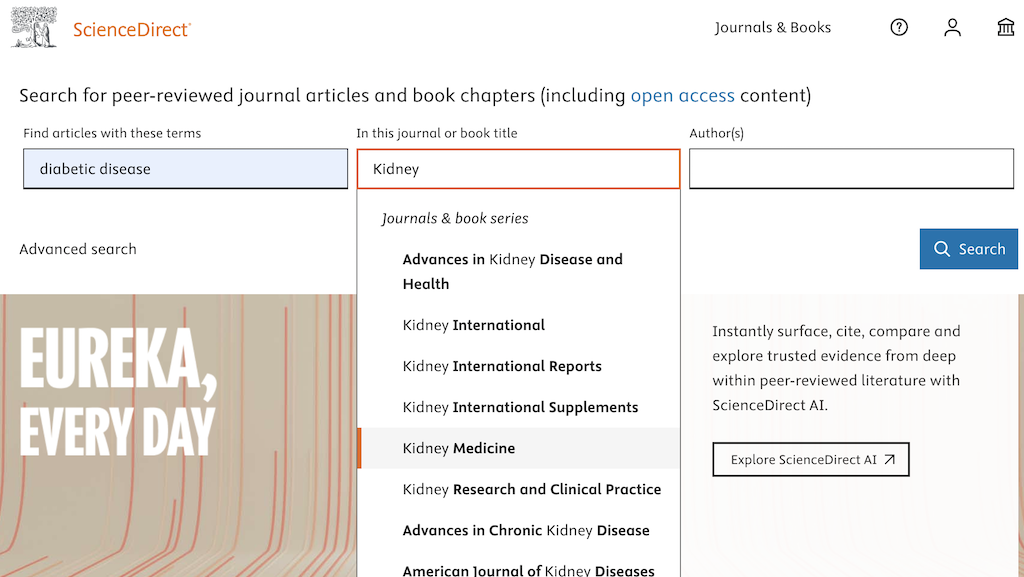
2. Enter "diabetic disease" under "Find articles with these terms".
3. Start to type "kidney" under "In this journal or book title". You see a list of matching titles displayed.
4. Select "Kidney Medicine" from the title list.
6. Click the "Search" button. You see a list of research results displayed.
4. You can use filter options on the left to refine search results.
⇒ Advanced Search on ScienceDirect
2025-06-03, ∼1048🔥, 0💬
Related Topics:
