Lookup by DOI on DBLP
Q
How to look up a bibliographic entry by DOI on DBLP?
✍: FYIcenter.com
A
 If you know the DOI of an article, you can look up
its bibliographic entry on DBLP using steps below:
If you know the DOI of an article, you can look up
its bibliographic entry on DBLP using steps below:
1. Go to dblp.org.
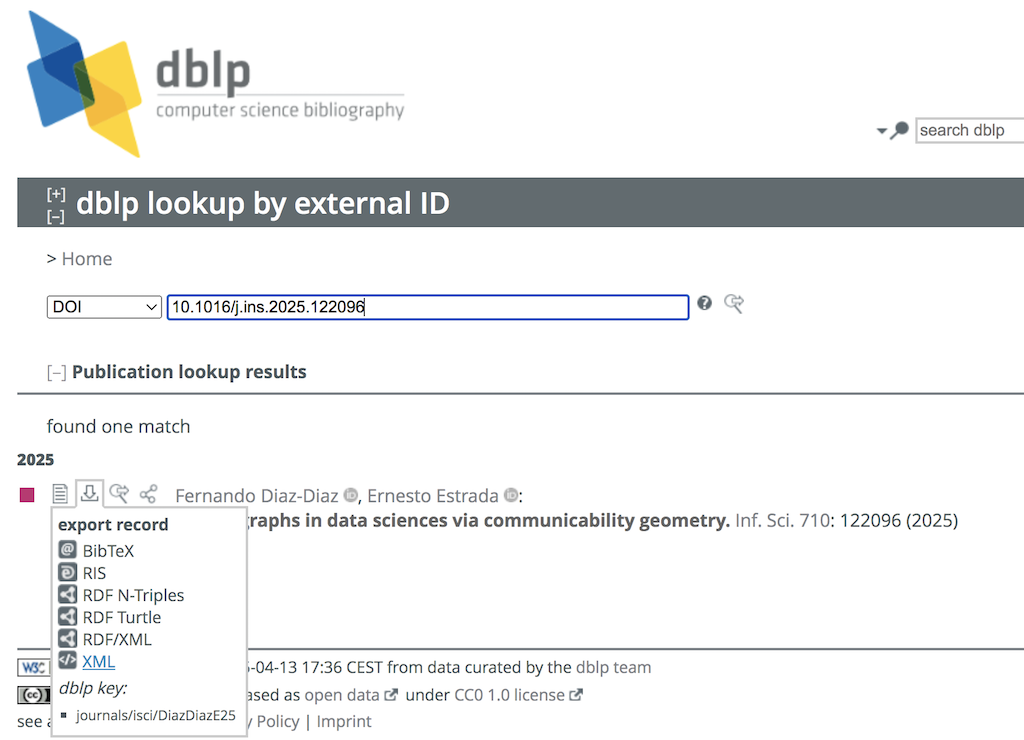
2. Select "SEARCH > Lookup by ID" in the menu. You see the "dblp lookup by external ID" form.
3. Select "DOI" from the type dropdown list, and enter "10.1016/j.ins.2025.122096" as the ID to search. You see the matched entry displayed.
Fernando Diaz-Diaz, Ernesto Estrada
Signed graphs in data sciences via communicability geometry. Inf. Sci. 710: 122096 (2025)
4. Open the "Download" icon to download the entry in different formats.
⇐ Browse by Publication on DBLP
2025-04-13, ∼884🔥, 0💬
Related Topics:

