Advanced Search on JSTOR Website
How to perform advanced search on JSTOR Website?
✍: FYIcenter.com
 You can follow these steps to perform advanced search on JSTOR Website.
1. Go to JSTOR Website.
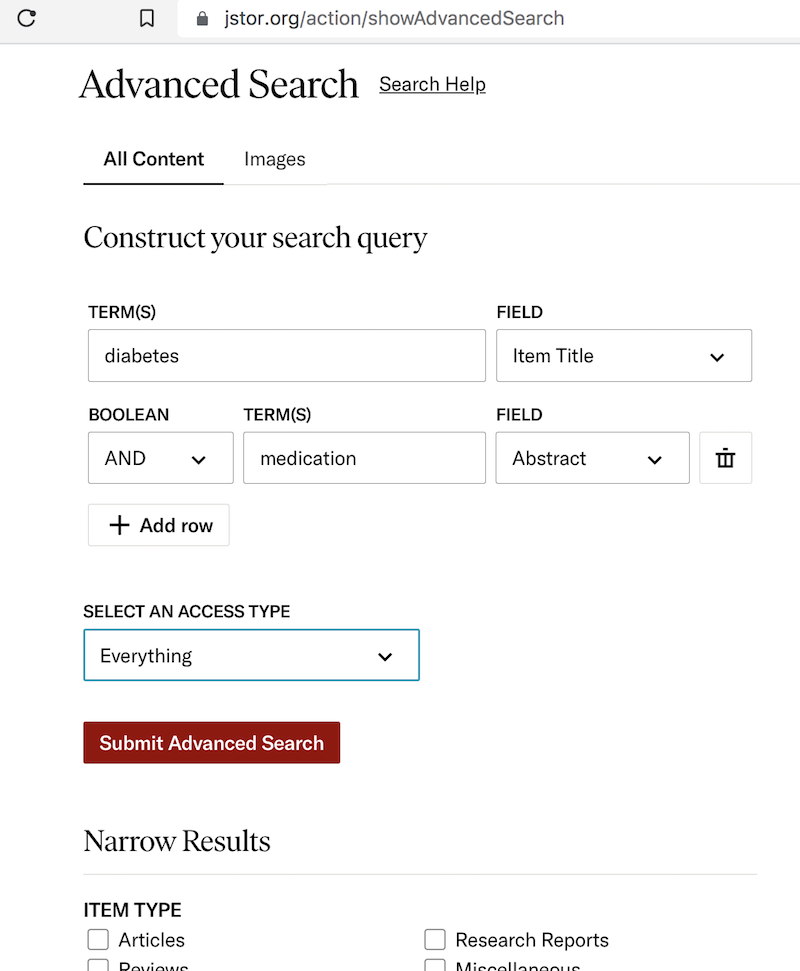
2. Click the "Advanced Search" link. You see the "Construct your search query" form.
3. As the primary condition, enter "diabetes" as the term and select "Item Title" as the field.
4. Use "AND" to join an additional condition: "disease" as the term and "Abstract" as the field.
5. Select "Everything" as the access type.
5. Click the "Submit Advanced Search" button. You see search results displayed.
⇒ Browse Subjects on JSTOR Website
2025-04-19, ∼408🔥, 0💬
Related Topics:
 DOI: 10.1051/mattech/192306090363
Paper Summary: Title: Le salon automobile de 1923 Year: 1923 DOI: 10.1051/mattech/192306090363 2025-07-14, ∼1013🔥, 0💬
